Sharing: Pass a Recipe Across the Table
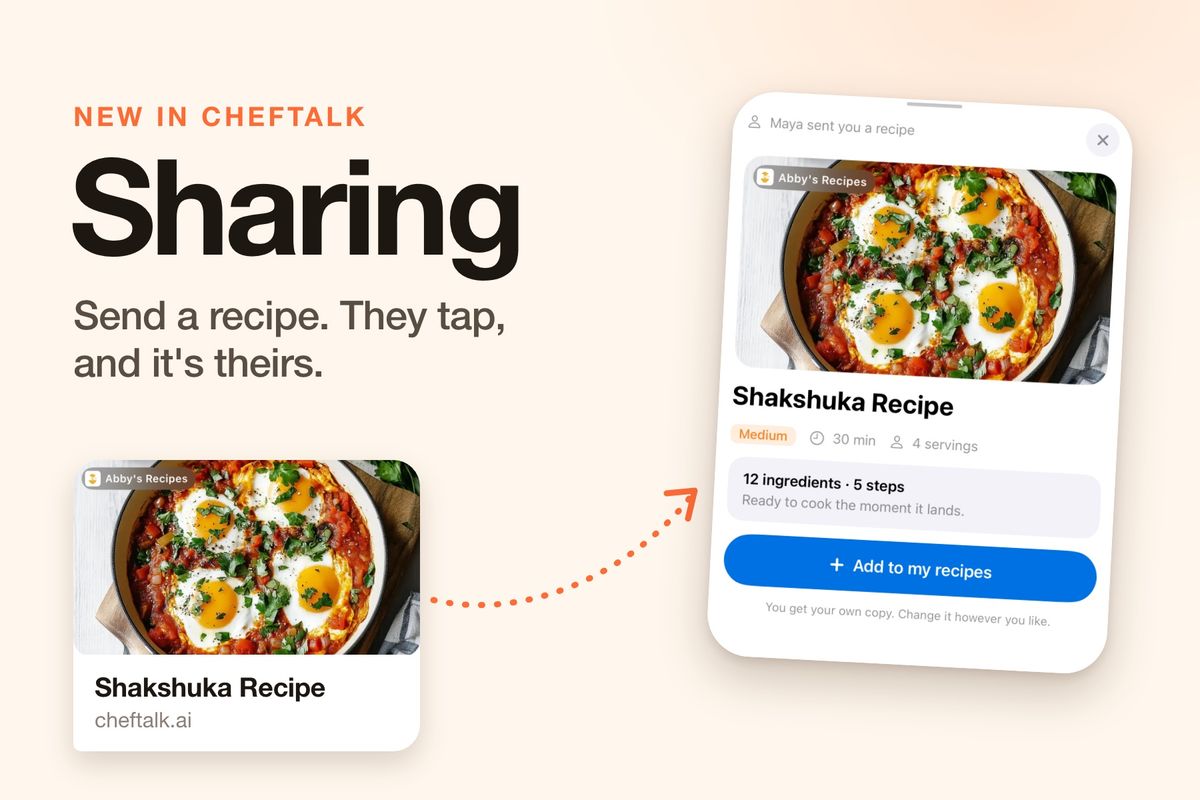
Someone at dinner says "send me that recipe," and what they get is a screenshot of an ingredient list, a blog link buried in ads, or a photo of a stained recipe card. None of it lands anywhere useful, and none of it can be cooked hands-free.
ChefTalk now shares recipes and whole cookbooks as one link. Your friend taps it and has their own copy, ready to cook.
Send It in Two Taps
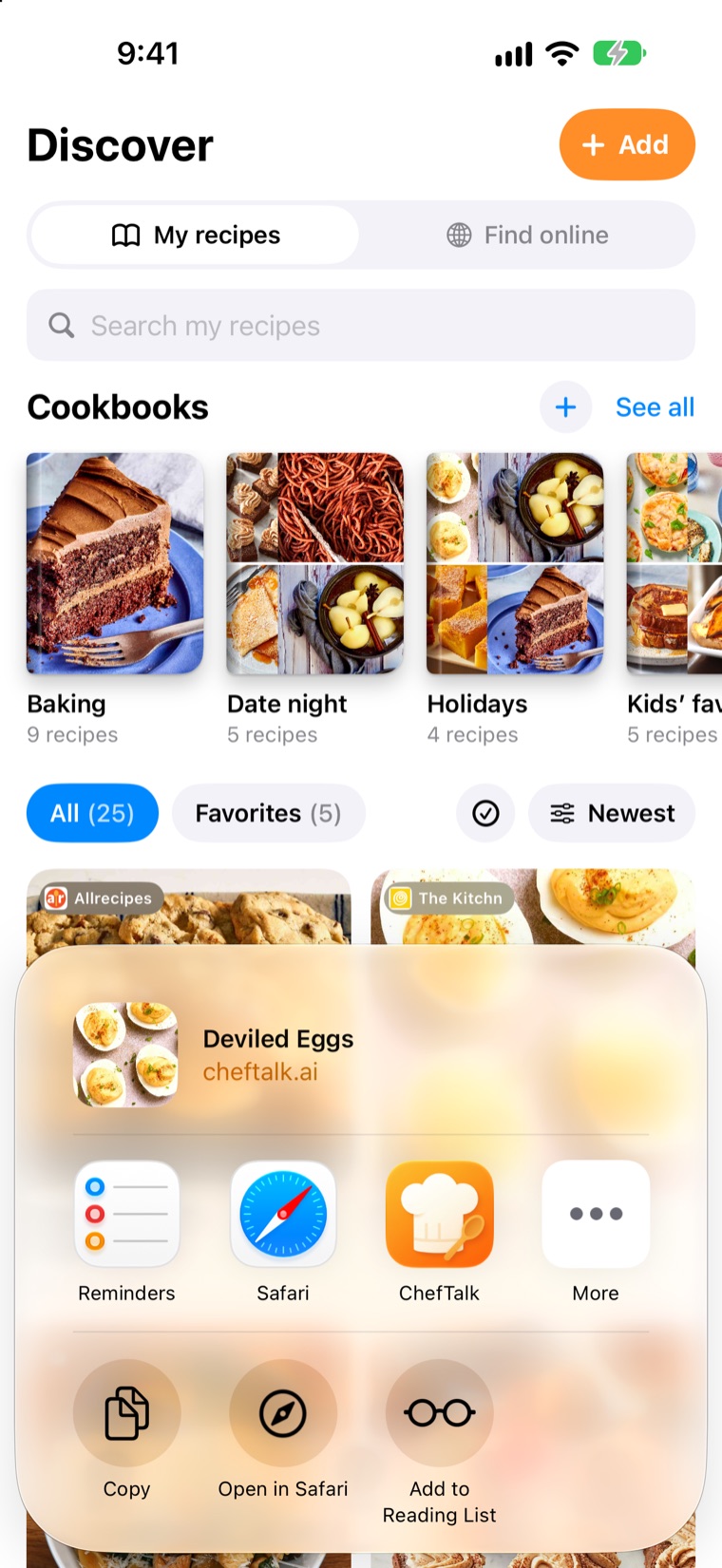
On any recipe in My recipes, tap the Share button next to the three dots, then Send a link. The share sheet opens with the recipe's photo and name on top, so you can see exactly what you're sending. Pick Messages, WhatsApp, Mail or anything else on your phone.
A cookbook works the same way. Share Baking and your friend gets every recipe in it, under its name, as it is right now.
Your Friend Taps, and It's Theirs
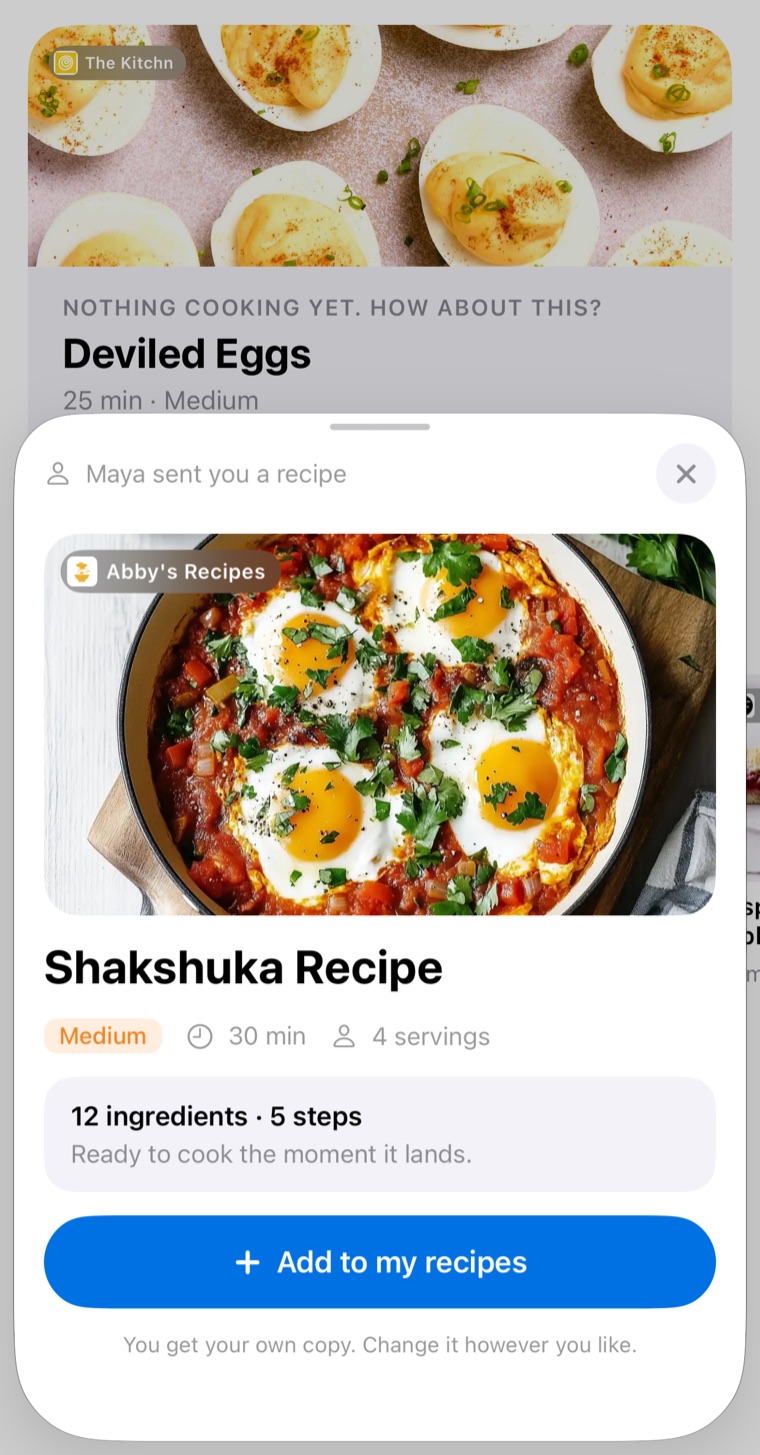
If your friend has ChefTalk, the link opens a card that says who sent it, with the photo, the site it came from, and how many ingredients and steps it has. One tap on Add to my recipes and it lands in their library, already prepared, so Chef can talk them through it right away.
It's their own copy. They can change it however they like, and nothing they do touches yours. Tap the same link again a week later and ChefTalk opens the copy they already have instead of adding a second one. A shared cookbook lands on their shelf as a new cookbook.
No App? Still a Proper Recipe
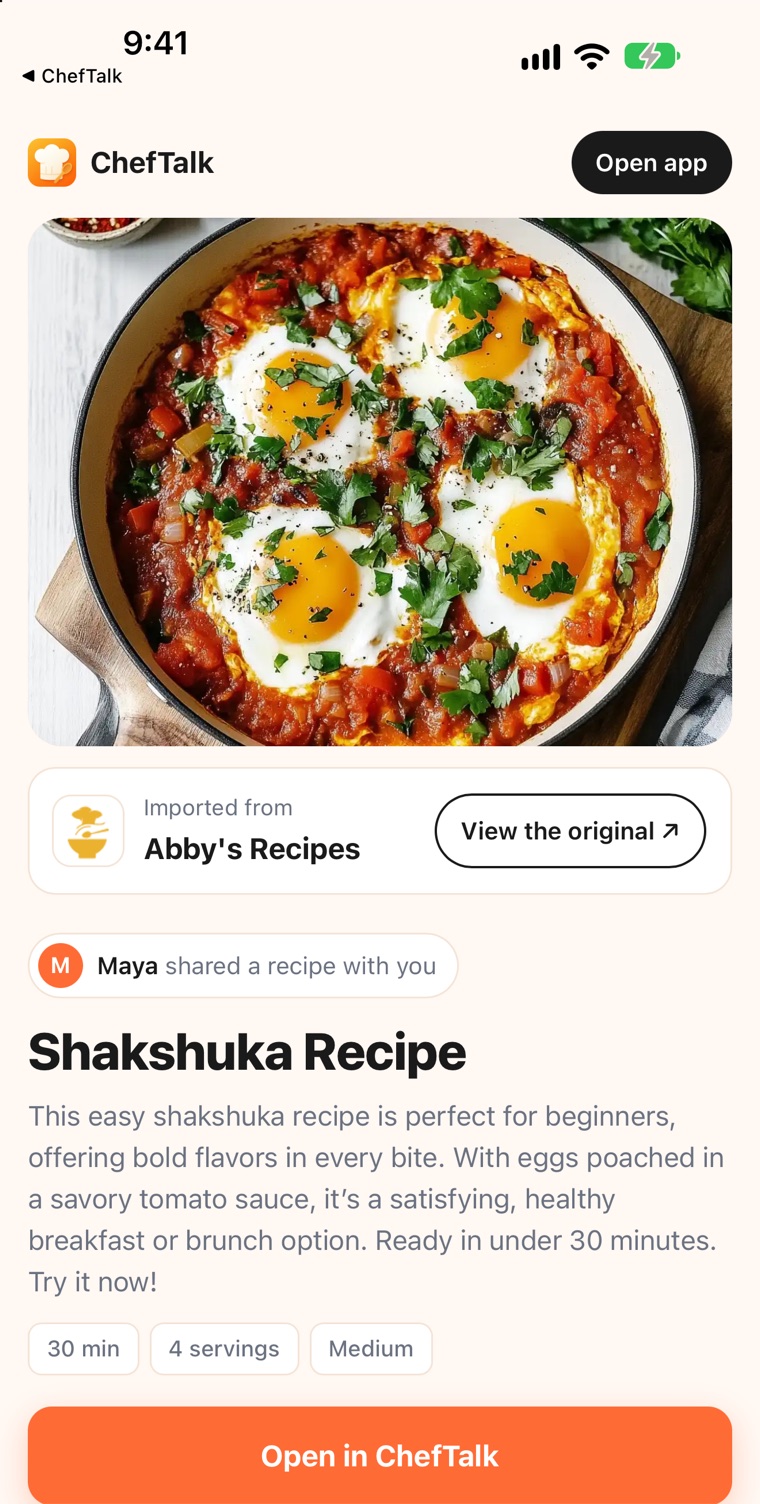
Not everyone you cook for has ChefTalk yet. For them, the same link opens a web page with the whole recipe: the photo, every ingredient, every step, and a card crediting the site it came from, with a link back to the original. An Open in ChefTalk button waits at the bottom for when they're ready.
On a laptop, the page shows a QR code instead. Point an iPhone camera at it and the recipe opens on the phone.
You Stay in Charge
A link is a snapshot of the recipe as it was when you shared it. Fix a typo later and share again to send the new version. Your notes, your cooking stats and your favorites never travel with it.
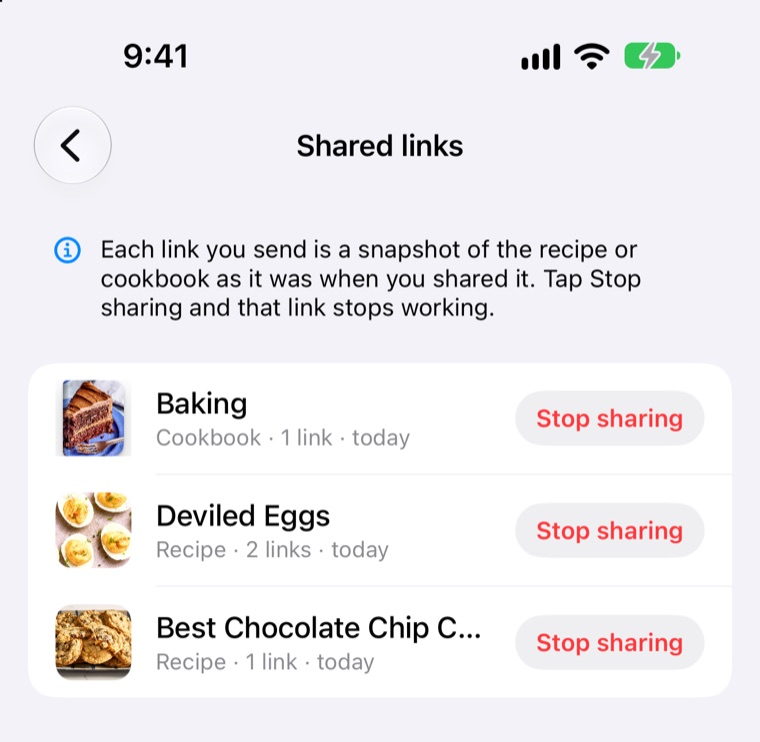
Sent it to the wrong group chat? Tap the three dots, then Stop sharing, and every link for that recipe turns off at once. Copies people already added stay theirs. Settings has a Shared links list of everything you've shared, each with its own Stop sharing button.
One thing worth knowing: search engines are told not to list shared pages, but anyone holding the link can read the whole recipe. Think about that before sending a family secret to a big group.
Try It Now
Sharing is free for every cook, sending and receiving, on the free plan or a subscription. A friend on the free plan can even add a recipe you imported from a photo, which otherwise takes a subscription. Update ChefTalk to version 1.2.0 and tap Share on any recipe or cookbook.
Who's getting your first link? Download ChefTalk on the App Store.
At ChefTalk, we're building a voice-first cooking companion that transforms any recipe into hands-free guidance, action by action. Learn more.