Cookbooks: Your Saved Recipes, Sorted Your Way
You saved an easy weeknight pasta three weeks ago. It's in My recipes somewhere, between a sourdough you meant to try and four versions of banana bread, and tonight you'll scroll past all of them looking for it.
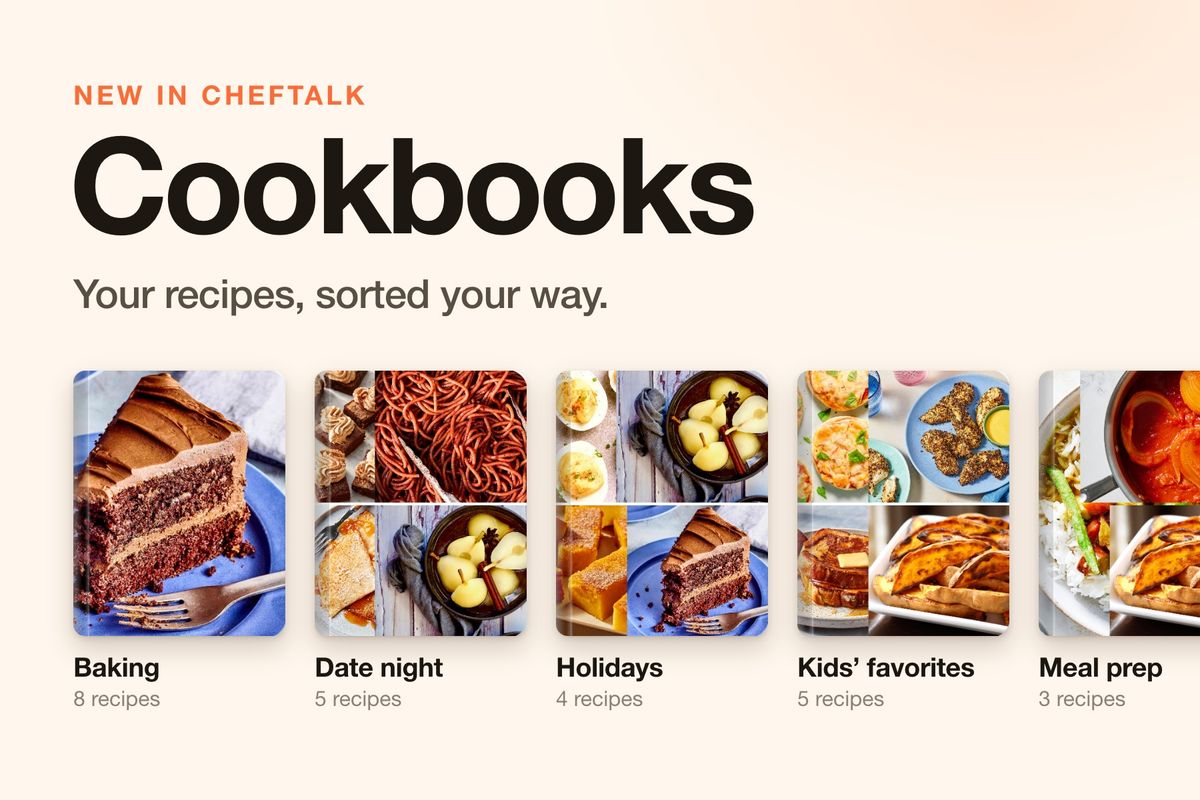
ChefTalk now has Cookbooks: you name them yourself, they live at the top of My recipes, and tonight's dinner is a couple of taps away.
Your Cookbooks, Right Above Your Recipes
On Discover, your cookbooks sit in a row above the recipe grid. Swipe through them, tap one, and you see only what's inside, with the same search, Favorites and sorting you already know. Every recipe card still carries the name of the site it came from.
Group them the way you actually cook: by night of the week, by occasion, by who's eating. The New cookbook sheet offers six ideas to start with: Weeknights, Kids' favorites, Baking, Date night, Meal prep and Holidays. Or type your own.
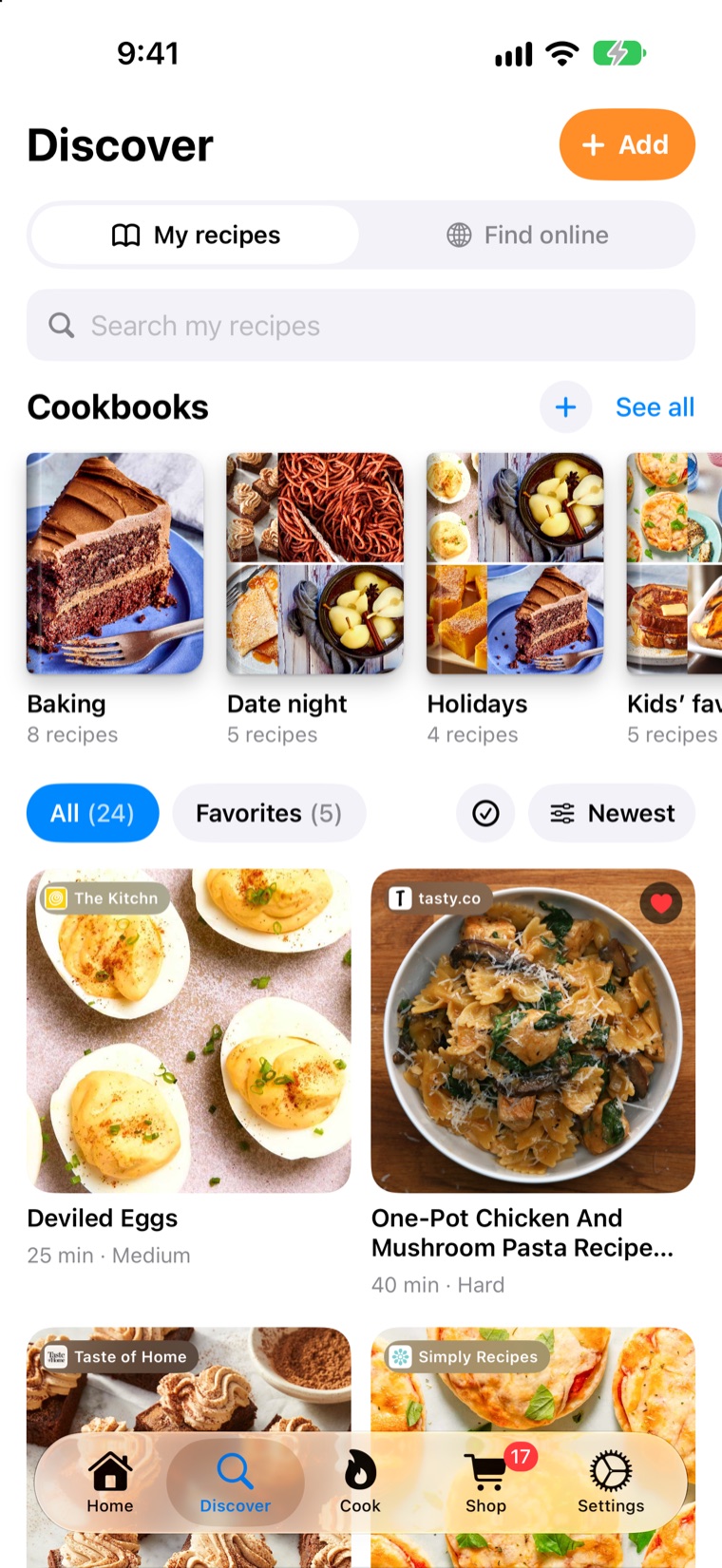
Covers make themselves from the recipe photos inside. Want that chocolate cake on the front of Baking? Pick it in Choose cover and it fills the whole thing.
One Recipe, Every Cookbook It Belongs In
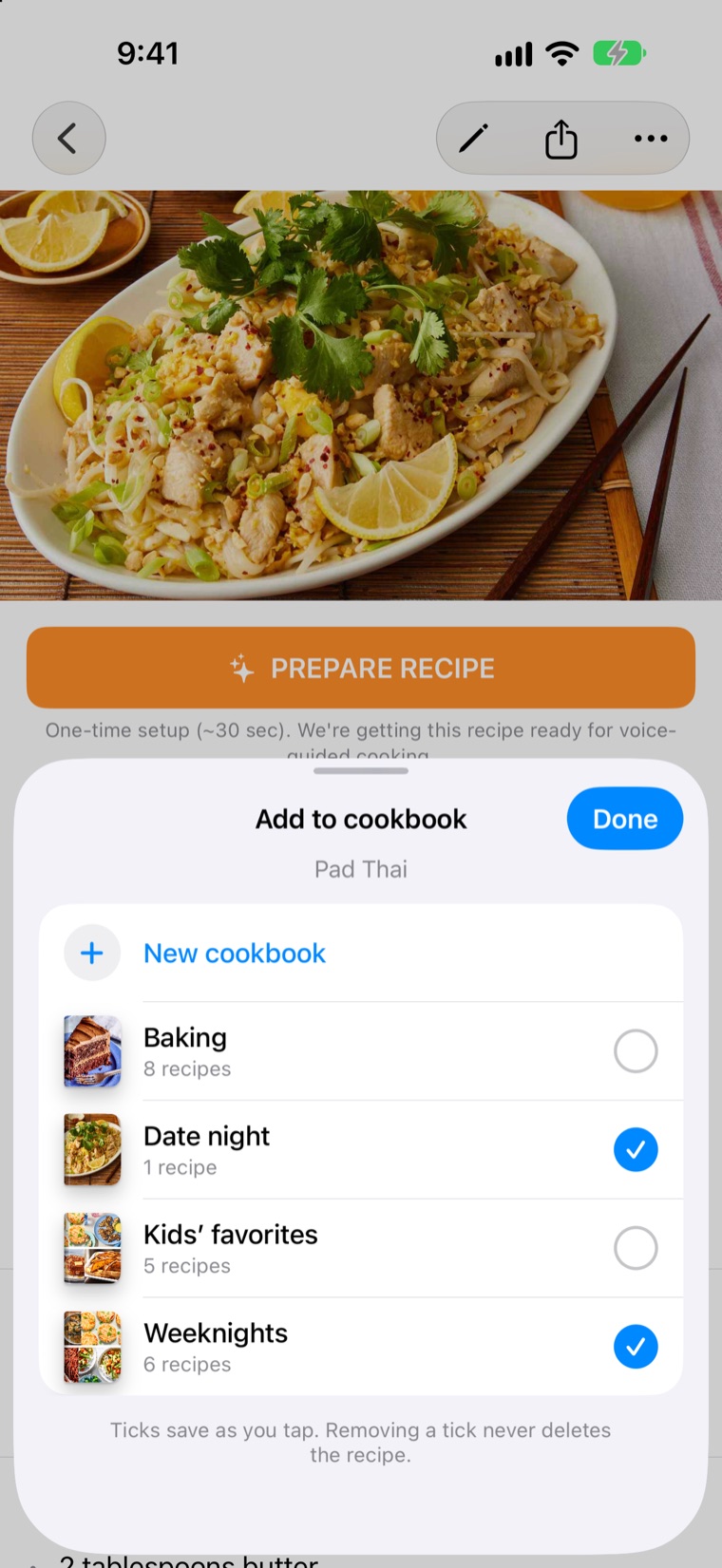
Pad Thai is a weeknight dinner. It's also a date night favorite. It can live in both.
On any recipe, tap the three dots, then Add to cookbook, and tick every cookbook it belongs in. Each tick saves as you tap, so the only button is Done. Need a cookbook that doesn't exist yet? New cookbook sits at the top of the list, and the cookbook you make comes back already ticked.
It's still one recipe. Edit it once and it's the same in every cookbook.
File a Whole Pile at Once
Tap the tick button next to Sort, pick as many recipes as you like, and add them all to a cookbook in one go, or make a new cookbook straight from them.
Filing works the moment a recipe arrives, too. When an import finishes, a small Saved to My recipes note slides up with an Add to cookbook button. Ignore it and nothing happens; the recipe waits in My recipes until you're ready. And if you're already inside Baking when you tap Add, the new recipe lands right in Baking.
A Finish Line for Tidying Up
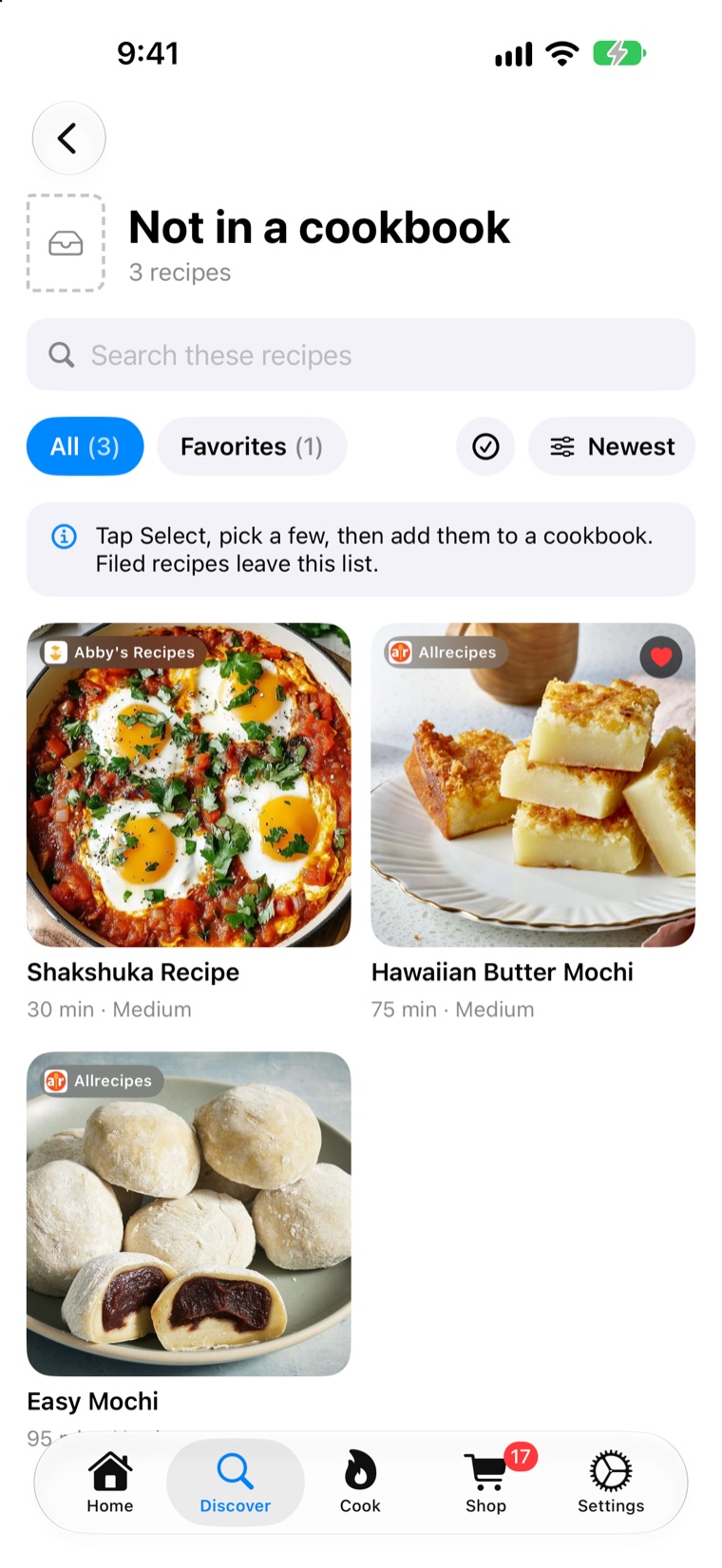
The last cookbook in the row is always Not in a cookbook: every recipe you haven't filed yet. File a few and it shrinks. Empty it and ChefTalk tells you so: "All filed away. Every recipe is in a cookbook. Nice and tidy."
Nothing Gets Lost
Moving recipes around never deletes them. Take a tick away and the recipe stays in My recipes. Delete a whole cookbook and only the cookbook goes; its recipes stay in your library and in any other cookbook they're in. The one thing that removes a recipe from every cookbook is deleting the recipe itself, and ChefTalk tells you that before you confirm.
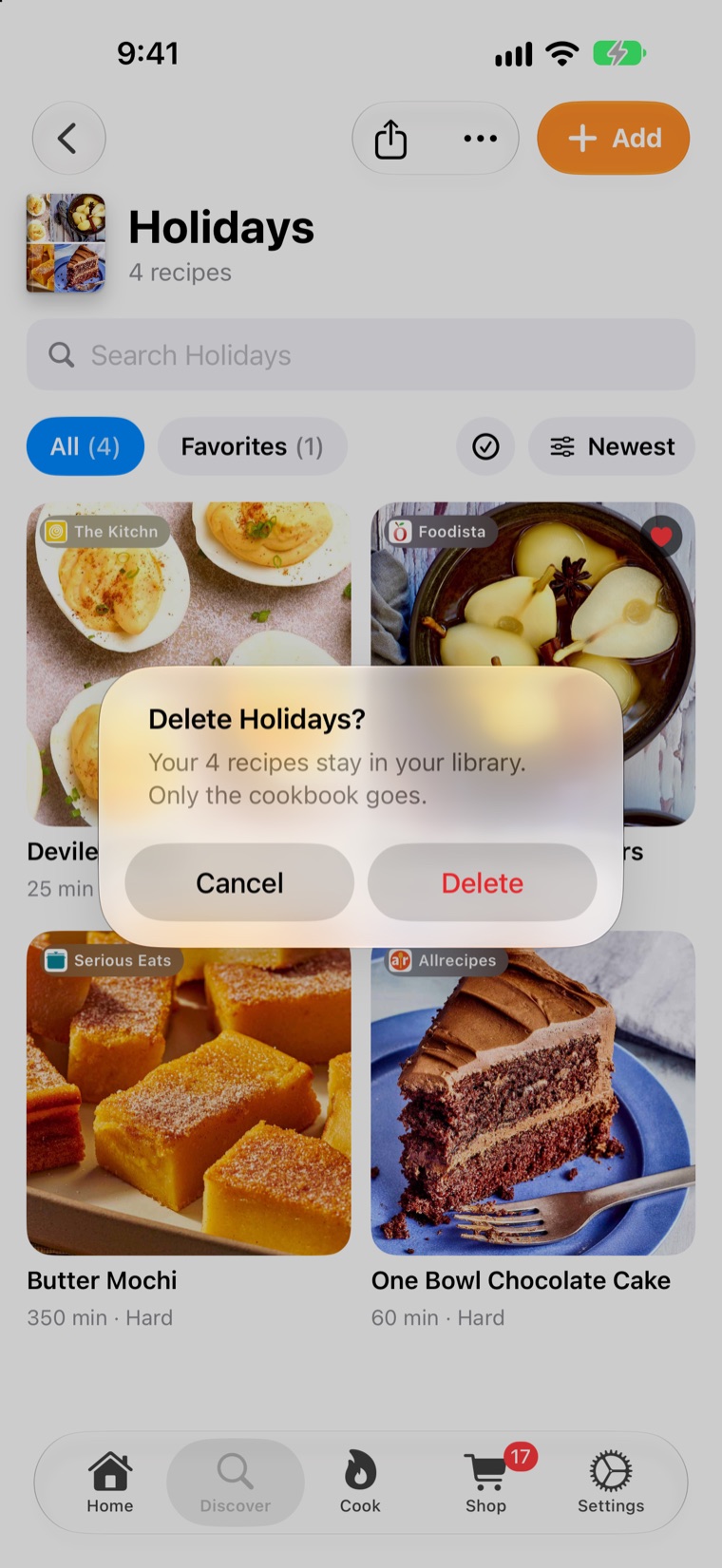
One more small change: Favorites is now a red heart instead of a star. It's still a quick filter next to All, not a cookbook of its own.
Try It Now
Cookbooks are free for every cook, on the free plan or a subscription, with no limit on how many cookbooks you make or how many recipes go in each. Update ChefTalk to version 1.2.0 and look above My recipes.
What will your first cookbook be? Download ChefTalk on the App Store.
At ChefTalk, we're building a voice-first cooking companion that transforms any recipe into hands-free guidance, action by action. Learn more.